Wrong contact showing on a LinkedIn profile? Here's how to relink it
Written By Timy Van Roy
Last updated About 2 months ago
Sometimes SurroundR matches a LinkedIn profile to the wrong HubSpot contact. It happens most often with people who share a similar name (think Rick Bakker vs. Dick Bakker) or a similar LinkedIn URL. The fix takes about thirty seconds, and you can do it yourself, right from the extension.
Good to know before you start: unlinking only changes the connection inside SurroundR. Nothing is deleted or changed in HubSpot or on LinkedIn.
Step 1: Unlink the wrong contact
Open the LinkedIn profile where the wrong contact is showing.
In the SurroundR widget, look at the panel on the right (the one with Notes and Tasks). In the top right corner you'll see two icons: a refresh icon and a person icon. Hover over the person icon and you'll see the label "Not this person".
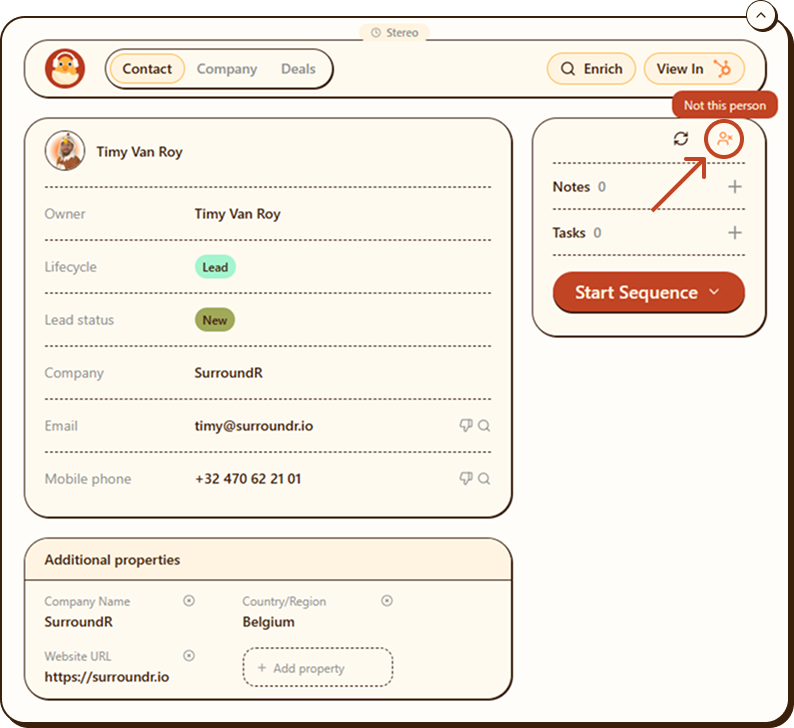
Click it. A confirmation pops up: "This will unlink the LinkedIn profile from this CRM contact. You can link a different contact later."
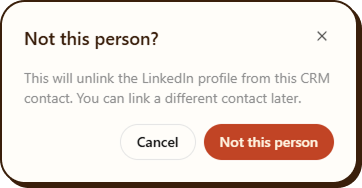
Click Not this person to confirm.
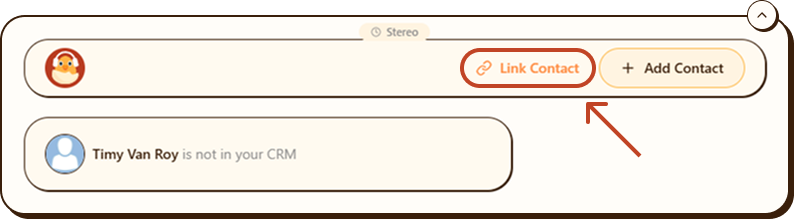
The widget now shows "[Name] is not in your CRM". The wrong link is gone.
Step 2: Link the right contact
After unlinking, the widget shows two buttons:
Link Contact: connect this LinkedIn profile to a contact that already exists in your HubSpot portal.
Add Contact: create a brand new HubSpot contact from this LinkedIn profile.
To link an existing contact:
Click Link Contact.
A search window opens: "Link [Name] to an existing contact". Start typing the person's name.
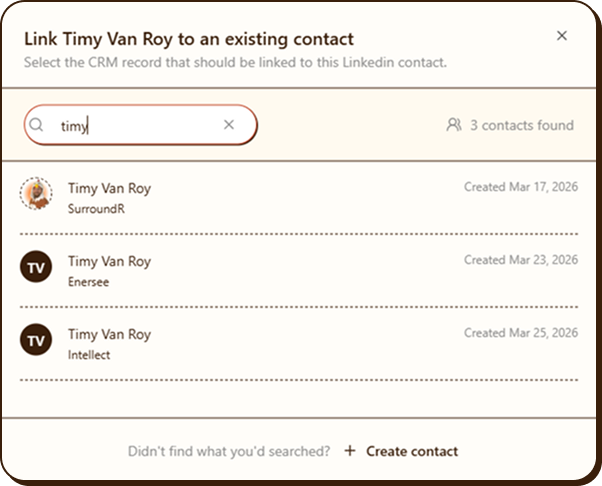
You'll see all matching HubSpot contacts, including their company and creation date, so you can pick the right one when several people share a name.
Click the correct contact to link it.
Can't find them in the search results? Click Create contact at the bottom of the window to add them as a new HubSpot contact instead.
Done. From now on, this LinkedIn profile shows the correct HubSpot contact.
Why this happens
SurroundR matches LinkedIn profiles to HubSpot contacts automatically. That match is right in the vast majority of cases, but no automatic matching is perfect. Nearly identical names or URLs, or an outdated LinkedIn URL on the HubSpot record, can point the extension at the wrong person.
One extra check: if the LinkedIn URL stored on the HubSpot contact itself is wrong, correct it in HubSpot too. Otherwise the same mismatch can come back later.
Still seeing the wrong contact?
If the mismatch keeps coming back after relinking, reach out through the in-app chat. Send us both LinkedIn URLs and the HubSpot contact involved, and we'll dig into it for you.